Spray ordering in the app
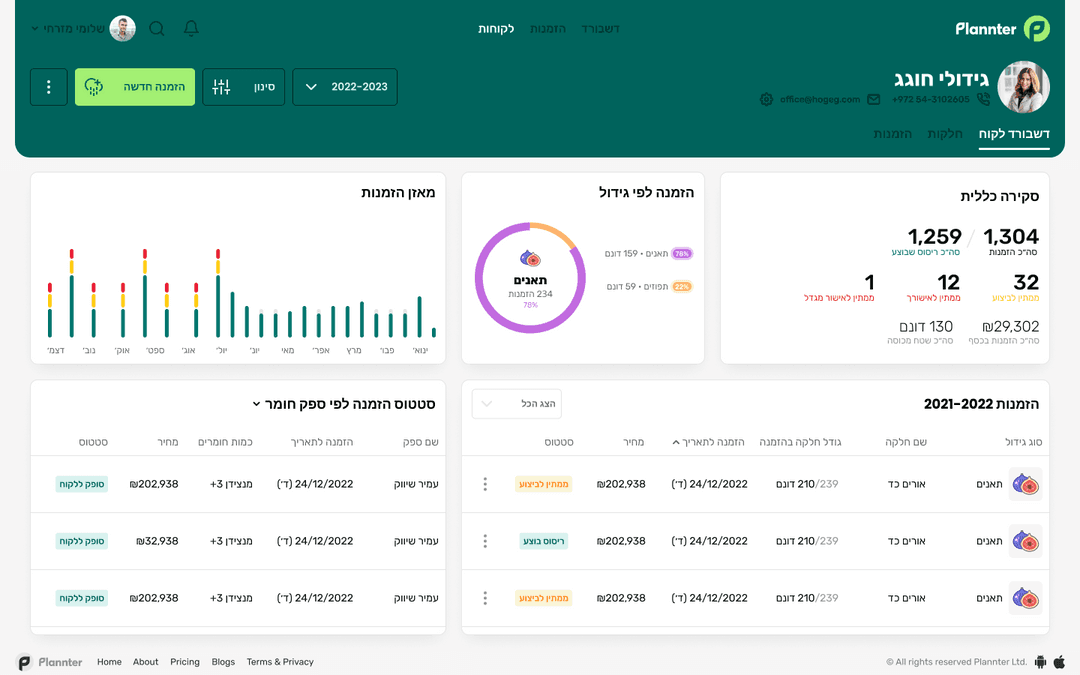
From the order to the supplier, live status and history per plot. Both sides see the same order.
A spray order in Plannter starts with one form: plot, crop, product, dose, area and date. The supplier gets a notification, confirms and schedules the job. After execution the order is saved on the plot history.
From order to history
Open an order
The farmer picks a plot and fills in crop, product, dose, area and requested date.
The supplier receives and confirms
The supplier sees the same order, books the job and updates the date.
Live status
Received, confirmed, done. If weather moves the job, the new date appears on the same order.
History per plot
After execution you keep the product, dose, date and who did the work.

One order, both sides
For farmers
Order spraying without a WhatsApp thread, see live status and keep history on every plot.
Farm appFor suppliers
Receive orders on the phone, schedule jobs and update status. The farmer sees the same update.
Supplier system
Questions about spray ordering
How do I order spraying in the app?
Open an order, pick a plot and fill in crop, product, dose, area and date. The supplier gets a notification and sees the same order.
Does the supplier need to be on Plannter?
Yes. The order moves between farmer and supplier, and both sides need the system to see the same status. You can invite the supplier and start a 30-day trial.
How do we change the date because of weather?
The supplier updates the date on the same order. The farmer sees the new date and gets a notification, without another round of phone calls.
Is the history saved?
Yes. After execution the order is written to the plot history: what was sprayed, when, with which product and dose.
Start spray ordering in Plannter
30-day trial. No credit card.